
Operational performance for Senior Care Facilities
Legend Foundations
Start with one program. Build consistent execution.
A pre-built operating playbook for your facility, delivered through Legend OS. Help teams catch problems earlier, assign corrective actions, and give leadership visibility into what is actually happening.
1 program free forever.
Early access · January 2027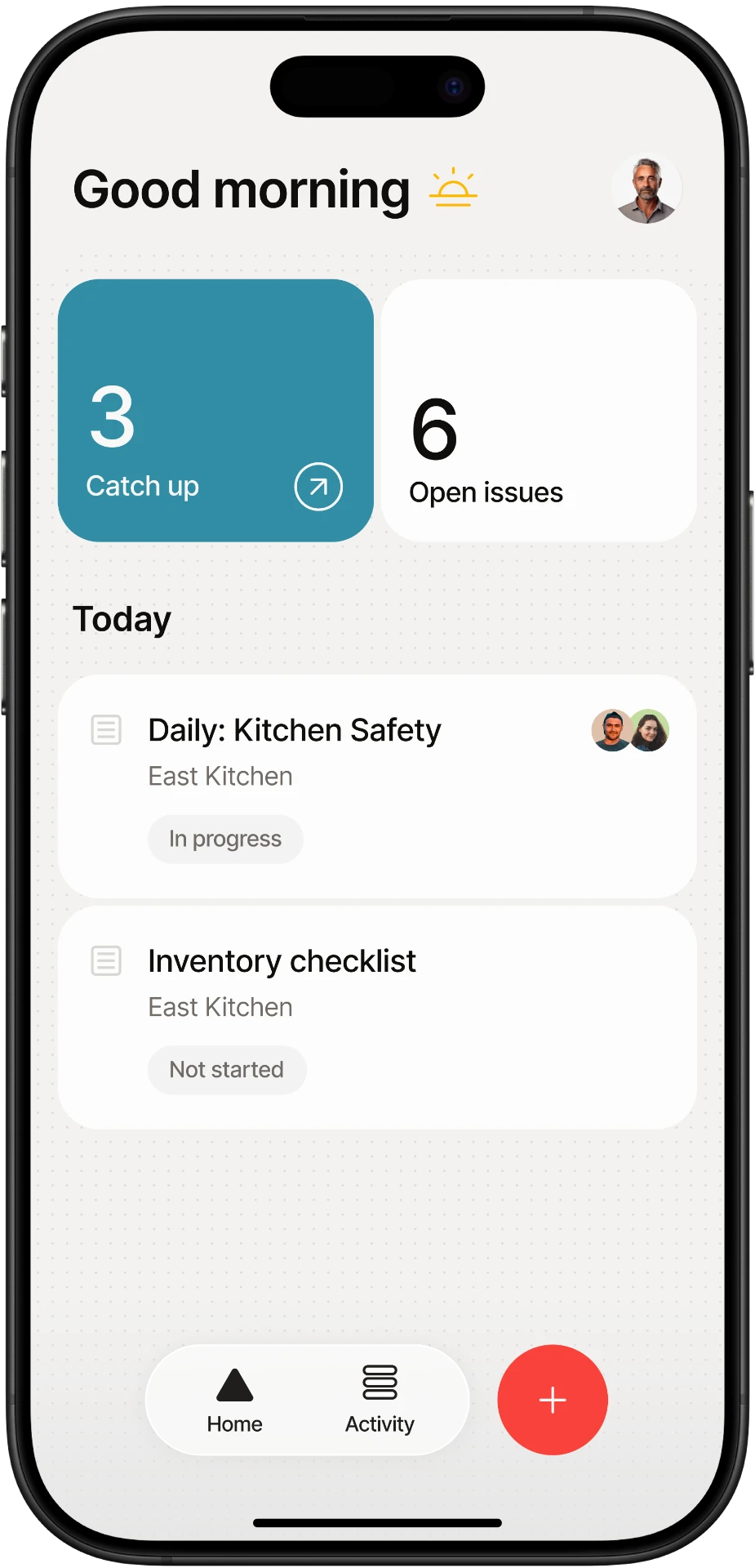
- 01
Check
Review priority conditions
- 02
Catch
Flag what needs attention
- 03
Correct
Assign and track the action
- 04
Verify
Confirm the issue is closed
The problem
You don't need another inspection system. You need consistent execution.
Most Senior Care Facilities already know what good looks like. The challenge is making sure the basics happen consistently across departments, every day.
Small problems get missed. Corrective actions stay open. The same issues show up again.
Foundations is designed to give your team a simple operating rhythm that makes execution visible.
Inconsistent execution
The same process gets done differently depending on the shift or person.
Problems found too late
Small operational issues become bigger problems before leadership sees them.
Corrective actions disappear
Issues are identified, but ownership and closure are inconsistent.
Leadership lacks visibility
Leaders cannot easily see where execution is stable and where attention is needed.
Executive director value
For the leader responsible for the whole building.
Know what is getting done, what is breaking down, what is still open, and what keeps happening again. Start with visibility into your selected program.
Legend OS · Executive director
My control center
Completion
Daily checks
Kitchen check completed · Service check due
Open actions
Follow-through
Cooler recheck assigned to Dining Director
Closure
Evidence verified
Dish machine rinse check signed off
Program performance
Dining Safety- Completed
Daily kitchen check
Dining team · Check recorded
- Due
Meal service check
Dining Director · Next scheduled check
- Open
Cooler temperature follow-up
Dining Director · Recheck and photo requested
Needs your attention
Issues found
Cooler temperature outside standard
Corrective action assigned. Updated reading and photo evidence are awaiting review.
Owner · Dining Director
Latest verified closure
Dish machine final rinse corrected
Recheck recorded · Photo attached · Verified by Dining Director
Completion
Are teams doing the checks?
Program performance
Which conditions need attention?
Issues found
What is breaking down?
Open actions
What still needs to be corrected?
Closure
Are issues actually being resolved?
Choose your starting program
Start where you need the most control.
Each participating facility can choose one standard operational program free forever.
Dining Safety
Safer, cleaner, more consistent kitchen and dining operations.
- Food storage
- Temperatures
- Sanitation
- Handwashing
- Chemical storage
- Kitchen readiness
EVS Rounds
Cleaner resident environments and more consistent housekeeping execution.
- Resident rooms
- Bathrooms
- High-touch areas
- Housekeeping carts
- Chemical storage
- Common areas
Facility Safety
Find physical-plant and safety problems earlier and support corrective-action follow-through.
- Trip hazards
- Lighting
- Leaks
- Doors
- Exit pathways
- Equipment
- Storage
How it works
One program. Three simple checks.
A planned operating rhythm that is short, repeatable, and easy to keep up with.
Daily
5-Minute Pulse
A short recurring check of the highest-priority operational conditions.
- Storage
- Cleanliness
- Supply readiness
- Environmental hazards
Catch today's problems today.
Weekly
10-Minute Leader Walk
A weekly walkthrough for the department leader.
- Spot emerging patterns
- Verify expectations
- Confirm follow-through
Make sure issues are actually being handled.
Monthly
Monthly Readiness Review
A simple monthly review of the program.
- Trends
- Repeat issues
- Open corrective actions
- Biggest priorities
Focus leaders on what matters most.
Initial-release capabilities are in development for January 2027 early access.
How it's delivered
A program, deployed through our software platform.
Not a binder or a consulting engagement. A pre-built operating program with checks, issues, and corrective actions captured in one place.
The program
Pre-built playbooks
What to check, how often, and what good looks like.
The platform
Phone or tablet
Where teams complete checks and log issues with photos.
The result
Leadership visibility
A clear picture of completion, issues, and follow-through.
Mobile inspections
Named user attribution
Photo evidence
Basic corrective actions
Simple reporting
In the hands of your team
Short checks on the phone your team already carries.
A look at the team workspace: operational checks, photo evidence, and corrective-action follow-through.
Today's checks in one place
A focused view of checks and open issues.
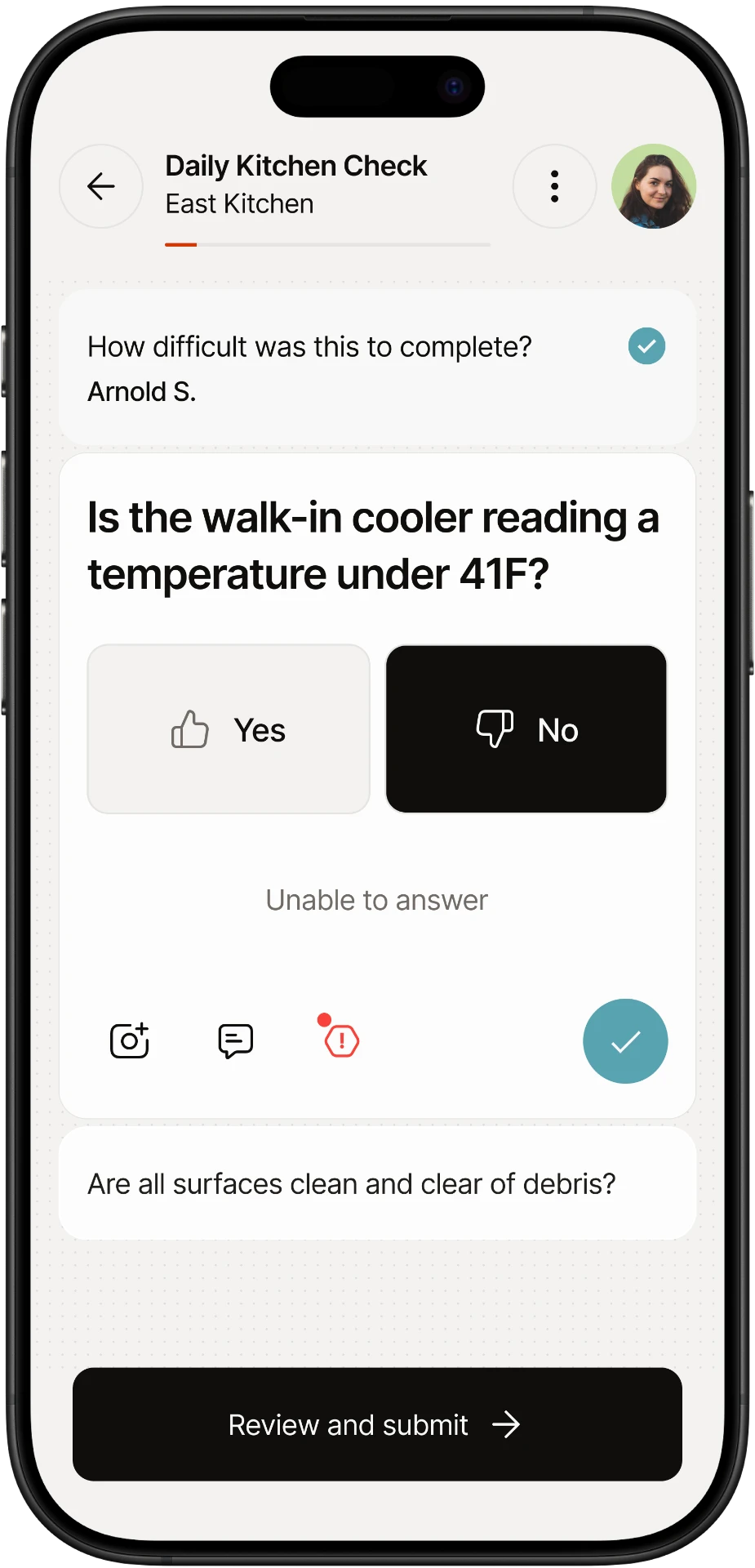
Short checks with evidence
Capture answers, photos, and comments as teams work.
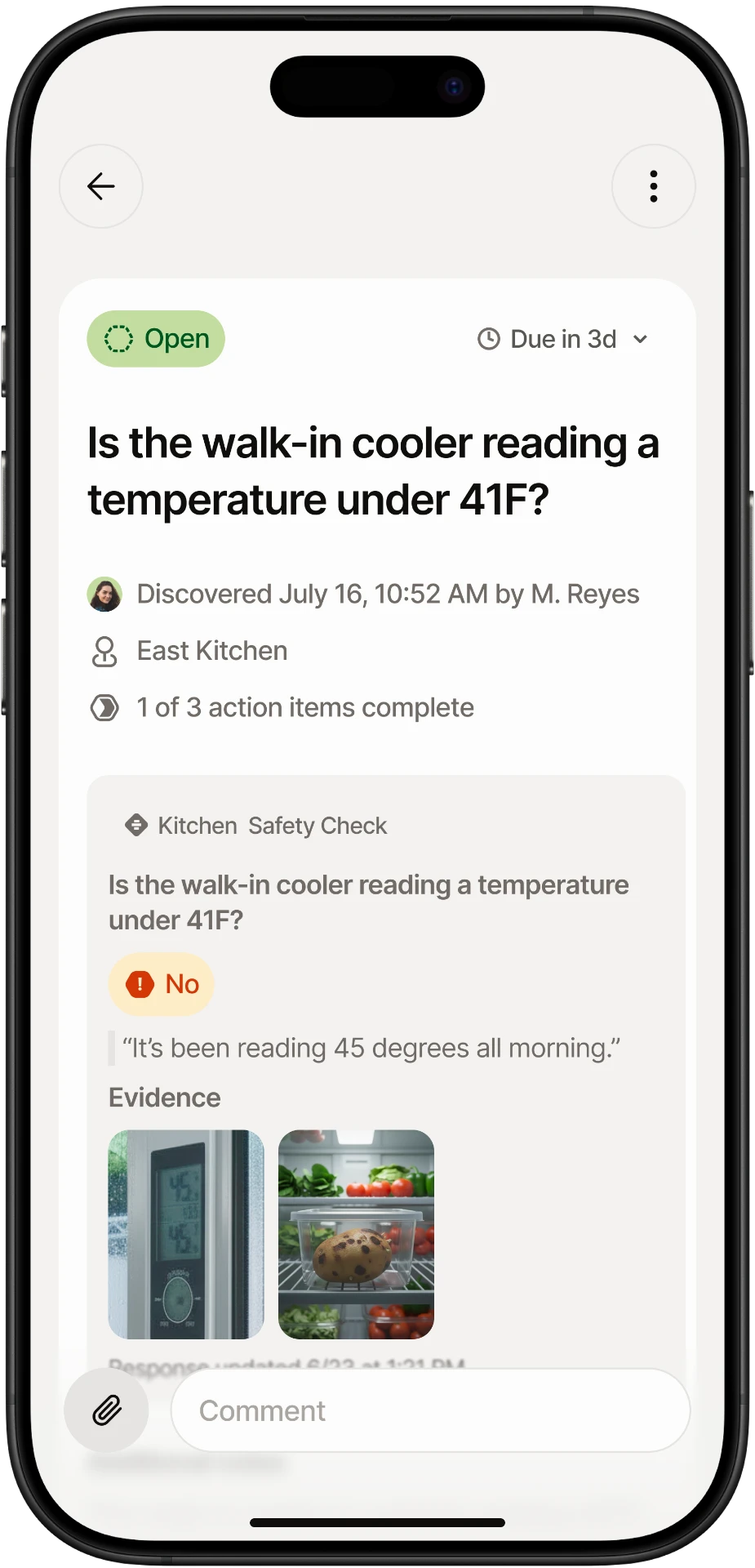
Issues with owners and photos
Evidence and a clear next action, together.
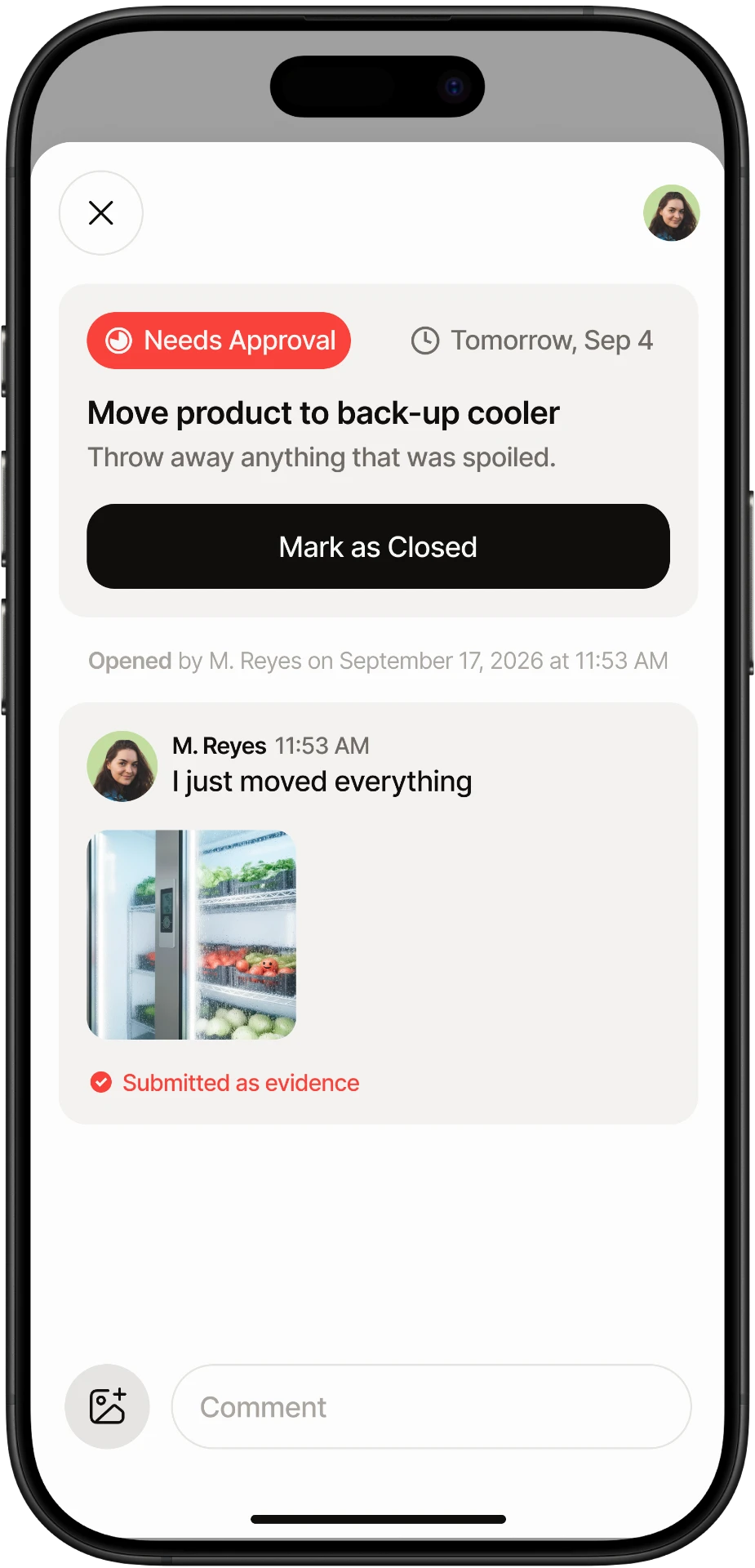
Corrective-action follow-through
Track updates and evidence through approval and closure.
Why Foundations is different
Built for execution, not more paperwork.
The familiar challenges
- Long checklists
- Complicated rollouts
- Too many reports
- Problems documented but not closed
Legend Foundations
- Short recurring checks
- Pre-built operational playbooks
- Clear corrective-action ownership
- Simple reporting and visibility
- 1 program free forever
Getting started
A focused launch. A repeatable rhythm.
The intended starting sequence for early-access facilities.
- 01
Choose your program
Start with the area where you want better visibility.
- 02
Assign the department leader
Give the program a clear owner and designated team members.
- 03
Launch the playbook
Establish Pulse Checks, Leader Walks, and Monthly Reviews.
- 04
Complete your first check
Begin building a picture of everyday operational execution.
The Foundations offer
1 program free forever.
One standard operational program per participating facility. Start with a clear owner, repeatable checks, and practical follow-through.
- Mobile inspections
- Named user attribution
- Photo evidence
- Basic corrective actions
- Simple reporting
Your next step
Start with foundations. Grow into intelligence.
Foundations focuses on operational discipline. Legend Business is in development for broader programs and workflows, while future Intelligence capabilities are designed to support more coordinated follow-through.
Frequently asked questions
Before you get started.
Next step